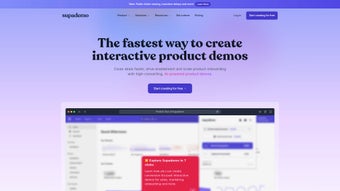

Download Supademo – AI‑Powered Interactive Demo Builder
Overview
Supademo is an AI‑driven, browser‑based platform that enables anyone—from seasoned marketers to novice trainers—to craft interactive product demos, onboarding guides, and step‑by‑step tutorials without writing a single line of code. The service combines natural‑language AI voiceovers, drag‑and‑drop hotspot creation, and a rich set of visual customization tools to turn static screenshots or live web pages into polished, shareable experiences that feel like a live walkthrough. Because every demo is hosted in the cloud, teams can instantly publish a link, embed the demo on a website, or export it as a GIF or high‑resolution video for offline use.
Supademo’s core value proposition lies in its ability to automate repetitive demo‑creation tasks, dramatically reducing the time required to produce professional‑grade tutorials while simultaneously increasing user engagement metrics such as click‑through rates and completion percentages. The platform also offers robust analytics, allowing product managers and support teams to measure how viewers interact with each hotspot, identify drop‑off points, and iterate on content for maximum impact. Branding is never an afterthought; users can apply custom domains, logos, colour palettes, and visual effects like blur or autoplay to ensure every demo aligns perfectly with corporate identity guidelines.
Collaboration features such as shared workspaces, role‑based permissions, and real‑time editing further streamline cross‑functional workflows, making Supademo a versatile asset for enterprises that need both agility and control in their learning‑oriented communications. Whether you’re showcasing a new SaaS feature, simplifying complex software onboarding, or aiming to cut support ticket volume, Supademo delivers a secure, scalable, and user‑friendly environment that empowers teams to communicate more effectively and efficiently.
Key Features
Supademo’s feature set is built around three pillars: interactivity, intelligence, and insight. Each pillar is represented by a collection of tools that work together seamlessly to create demos that are not only visually appealing but also data‑driven and easy to maintain. Below is a detailed look at the most important capabilities that set Supademo apart from traditional screen‑recording or video‑editing solutions.
- AI Voiceovers: Generate natural‑sounding narration in multiple languages with a single click, reducing the need for external voice talent.
- Customizable Hotspots: Place interactive points, call‑outs, and clickable areas to guide users precisely through any workflow.
- Text Instructions & Tooltips: Add concise, searchable captions that appear on hover or click, enhancing accessibility.
- Branding Options: Apply custom domains, logos, colour schemes, and visual effects like blur or autoplay to match corporate identity.
- Team Collaboration: Shared workspaces let multiple team members co‑author, review, and publish demos with role‑based access.
- Advanced Analytics: Track viewer engagement, hotspot clicks, and completion rates; heatmaps and funnel analysis help optimize content.
- Export Capabilities: Download demos as GIFs, MP4 videos, or embed them directly via iframe for offline sharing or social media.
- Enterprise‑Grade Security: Single Sign‑On (SSO), role‑based permissions, AES‑256 encryption at rest, and TLS 1.3 in transit.
- Multi‑Platform Support: Runs in any modern browser on Windows, macOS, Linux, Android, and iOS devices, ensuring universal accessibility.
- Continuous Updates: Automatic feature roll‑outs and bug fixes keep the tool fresh, secure, and aligned with industry standards.
These features are designed to be intuitive for beginners while offering depth for power users who need granular control over timing, animation, and data collection. The combination of AI‑generated voiceovers, flexible hotspot mechanics, and real‑time analytics creates a unique ecosystem that supports rapid prototyping, thorough testing, and continuous improvement of interactive content.
Installation & Usage Instructions
Because Supademo is a cloud‑native SaaS solution, there is no traditional installation process on the user’s device. Getting started is straightforward and can be completed in under ten minutes, even for teams that have never used an interactive demo builder before. Follow the step‑by‑step guide below to launch your first demo and explore the platform’s core capabilities.
- Create an Account: Navigate to supademo.com and register using a corporate email address. Choose the free tier to test basic features or select a paid plan for advanced analytics, branding, and security options.
- Verify Identity & Enable SSO: For enterprise plans, connect your identity provider (Okta, Azure AD, Google Workspace) via the SSO wizard. This step ensures single‑sign‑on, role‑based access, and compliance with internal security policies.
- Start a New Project: From the dashboard, click “New Demo.” You can pick a pre‑built template (e.g., SaaS onboarding, product tour) or begin with a blank canvas. Upload the web page, application URL, or static screenshots you wish to demonstrate.
- Add Interactive Elements: Use the drag‑and‑drop toolbar to place hotspots, text boxes, arrows, and call‑outs. For each hotspot, select an AI voiceover, define the trigger (hover, click, timed), and customize colors, shapes, and animation speed.
- Configure Branding: Go to Settings → Branding. Upload your logo, set a custom domain (e.g., demos.yourcompany.com), and choose colour accents that reflect your brand guidelines. You can also enable autoplay or blur effects for a polished look.
- Preview & Test Responsiveness: Click “Preview” to simulate the demo in a sandbox environment. Switch between desktop, tablet, and mobile viewports to verify that hotspots and text scale correctly across devices.
- Publish & Share: Once satisfied, hit “Publish.” Supademo generates a secure shareable link, an embed code, and optional QR code. You can also export the demo as a GIF or MP4 for email campaigns, presentations, or offline training.
- Monitor Performance: Open the Analytics tab to view heatmaps, click‑through rates, average watch times, and user drop‑off points. Use these insights to refine hotspot placement, adjust voiceover scripts, or modify visual cues.
- Collaborate with Team Members: Invite colleagues via email and assign them roles such as Editor, Viewer, or Administrator. Real‑time editing allows multiple users to work on the same demo simultaneously, with version history tracking changes.
- Maintain & Update Demos: All changes are saved automatically in the cloud. Return to any demo at any time to edit content, refresh analytics, or re‑export. Supademo’s continuous update model ensures you always have the latest features without manual patches.
The workflow is deliberately designed for non‑technical users, yet it offers enough depth for power users who need precise timing, animation curves, or custom data collection. Because everything is stored securely in the cloud, you never have to worry about local backups, version conflicts, or hardware limitations.
Compatibility, Pros & Cons
Supademo is a fully browser‑based application, meaning it works on any operating system that supports modern web standards. Whether your team runs Windows 10/11, macOS Ventura, various Linux distributions, Android 9+, or iOS 14+, you can access Supademo through Chrome, Edge, Firefox, Safari, or any Chromium‑based browser. The platform’s responsive design guarantees that demos created on a desktop render flawlessly on tablets and smartphones, and the built‑in preview mode lets you test across multiple viewports before publishing.
Pros
- No Coding Required: The drag‑and‑drop interface makes demo creation accessible to marketers, trainers, and support staff with zero programming experience.
- AI‑Generated Voiceovers: Saves time and adds a professional audio layer without hiring external talent.
- Robust Analytics: Detailed metrics—heatmaps, click‑through rates, funnel analysis—help you iterate and improve user engagement.
- Team Collaboration: Real‑time editing, shared workspaces, and role‑based permissions streamline cross‑functional projects.
- Enterprise Security: SSO integration, AES‑256 encryption, and GDPR compliance protect sensitive data.
- Export Flexibility: GIF and video exports broaden distribution channels beyond the web.
- Continuous Updates: New features and security patches are delivered automatically, reducing maintenance overhead.
- Cross‑Device Compatibility: Works on Windows, macOS, Linux, Android, and iOS browsers, ensuring universal accessibility.
Cons
- Internet Dependency: As a SaaS product, a stable connection is required for creation, editing, and publishing.
- Learning Curve for Advanced Features: While basic demos are simple, mastering the analytics dashboard and advanced branding options may take time.
- Limited Offline Editing: Direct offline modifications are not supported; you must work online to make changes.
- Pricing for Enterprise Tier: Advanced security, custom domains, and deep analytics are locked behind higher‑priced plans.
- Browser Rendering Variations: Certain visual effects may appear slightly different across browsers, requiring cross‑browser testing.
Frequently Asked Questions & Conclusion
Can I use Supademo on a mobile device?
Yes. Supademo runs in any modern mobile browser, and its responsive editor allows you to place hotspots and edit text directly from a smartphone or tablet. The final demos are automatically optimized for touch interaction, ensuring a smooth user experience on all screen sizes.
Do I need to install any plugins or extensions?
No. Supademo is completely cloud‑based. All you need is a recent version of Chrome, Edge, Firefox, or Safari. There are no Java, Flash, or additional plugin requirements.
How secure is my data on Supademo?
Supademo complies with GDPR and uses AES‑256 encryption for data at rest and TLS 1.3 for data in transit. Enterprise plans also include Single Sign‑On (SSO) and role‑based access controls to further safeguard your information.
Can I integrate Supademo with my existing CRM or LMS?
Yes. Supademo offers webhook support and native integrations with popular CRMs such as Salesforce and HubSpot, as well as Learning Management Systems like Moodle and Canvas. You can embed demos directly into onboarding flows, sales outreach emails, or course modules.
Is there a free version available?
Supademo provides a free tier that includes unlimited demo creation with basic branding and AI voiceovers. Advanced analytics, custom domains, and enterprise‑grade security features are part of the paid plans.
Conclusion & Call to Action
Supademo stands out as a powerful, user‑friendly solution for anyone who needs to turn static screens into engaging, interactive experiences. Its AI‑driven voiceovers, flexible hotspot system, and robust analytics give you the tools to educate, sell, and support without the overhead of traditional video production or custom coding. The platform’s cross‑device compatibility and enterprise‑grade security make it suitable for small teams as well as large organizations. While an internet connection is required and some advanced features are gated behind premium plans, the overall value proposition—time saved, higher conversion rates, and reduced support tickets—far outweighs these minor drawbacks. If you’re ready to boost onboarding efficiency, showcase product features with flair, or simply create polished demos in minutes, Supademo is the answer.
Ready to start building interactive demos? Sign up for a free account today, explore the AI voiceover wizard, and see how Supademo can transform your communication strategy.
Pros: Easy to use, AI voiceovers, powerful analytics, team collaboration.
Cons: Requires internet, premium pricing for enterprise features.



.png)



